Health care
Telehealth and Medical Portals
About 30 minutes, at your own pace
You are in a safe place. Nothing on this page can harm your device.
How to book appointments online, see your health records, meet your doctor by video, and manage prescriptions, all from the comfort of home.
Helen's story
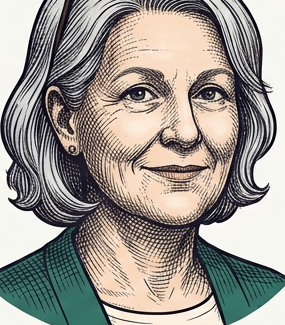
Helen, 78, from Chatham, Ontario. After her hip replacement, getting to her family doctor's office was exhausting and painful. When her doctor's clinic offered telephone appointments during the pandemic, Helen discovered something wonderful: most of her check-ins did not require being there in person.
She now does her quarterly blood pressure review by phone, books her lab work online, and refills her prescriptions through the Shoppers Drug Mart app. The only trips she makes are for tests or issues that truly require hands-on examination.
This lesson covers everything Helen uses, and more.
Seeing a doctor through a screen can feel like it should not count as real medical care. Many people feel that way at first, and then discover that no waiting room, no winter driving, and no parking fees make some appointments genuinely better. Your health questions deserve answers, whichever way you ask them.
What is telehealth?
Telehealth simply means receiving medical care from a distance, over the phone or by video, instead of travelling to a clinic in person. It is not a replacement for all medical visits, but it is a genuinely useful option for many everyday health needs. There are three main types:
- Phone consultation. You and your doctor talk over the phone. No camera needed. Works on any phone, including a landline.
- Video consultation. You and your doctor can see each other, like a video call with family. Needs a smartphone, tablet, or computer with a camera.
- Secure messaging. Send non-urgent questions to your care team through a patient portal. They respond in writing, usually within one to two business days.
Does OHIP cover it? Most telehealth visits with your own Ontario-registered family doctor are covered by OHIP at no cost to you, just like an in-person appointment. Virtual urgent care services (such as Maple or Dialogue) may charge fees unless you have employer benefits or insurance that covers them.
When telehealth works well
- Follow-up appointments after a procedure or treatment
- Medication reviews and prescription renewals
- Mental health check-ins with a therapist or psychiatrist
- Discussing lab results or test reports
- Non-emergency questions, such as rashes that are healing, mild colds, or sleep concerns
When in-person is better
- New symptoms that require a physical examination
- Urgent or emergency situations. Always call 911 for emergencies.
- Procedures, injections, or physical tests
- Hearing or vision checks that require equipment
Doctors offering telehealth in Ontario must use platforms that comply with PHIPA, the Personal Health Information Protection Act. This is Ontario's law that protects your private health information. If you are unsure whether your doctor's telehealth platform is PHIPA-compliant, it is completely reasonable to ask them directly.
Accessing your medical records online
Many Ontario hospitals now offer a patient portal, a secure website where you can see your own health information without having to phone the hospital. The most widely used portal in Ontario is called MyChart. It is used by hospitals such as London Health Sciences Centre, Unity Health Toronto, Humber River Hospital, and many others. Once you register, you can log in from any device and see:
- Lab results, such as blood work and urine tests, often available before your doctor calls
- Imaging reports, including X-ray, ultrasound, and CT scan findings
- Your medications list, showing what has been prescribed and by whom
- Immunisation records on file at that hospital
- Upcoming appointments with specialists or your care team
Registering for MyChart
Visit your hospital's website and look for a MyChart or Patient Portal link, usually found under "Patients & Visitors".
You can also ask at the hospital admissions desk in person. Staff will give you an activation code to create your account.
You will need a valid email address and your Ontario health card number to complete registration.
Once registered, bookmark the login page on your device so you can find it easily next time.
Lab results in MyChart are often available before your doctor has had a chance to review them. Seeing an "out of range" or "high" flag on a result can be alarming, but those flags are printed for all ages and situations, not just yours. Your doctor knows your individual baseline and medical history. If something looks abnormal, wait for your doctor's call or send a message through the portal before worrying.
Booking appointments online
You no longer have to call and wait on hold to book many medical appointments.
- Family doctor appointments. Many Ontario practices now offer online booking through platforms such as OceanMD, Jane App, or their own clinic website. Look for a "Book Online" or "Request an Appointment" button on your doctor's website. If you are not sure whether your clinic offers this, call and ask.
- LifeLabs. Canada's largest lab network. Book at lifelabs.com/book-appointment: choose your nearest location, service, date, and time.
- Dynacare. Visit dynacare.ca and select "Book Now". Many Ontario locations also accept walk-ins.
- Vaccinations. For flu shots, COVID-19 boosters, and other publicly funded vaccines, visit ontario.ca/bookvaccine and choose your nearest pharmacy, public health unit, or community clinic.
Appointments with specialists (such as a cardiologist or orthopaedic surgeon) are usually arranged by your family doctor, not booked directly by you. After your doctor makes the referral, you will receive a phone call or letter from the specialist's office with your appointment details. You do not need to book this yourself.
Video doctor visits
If your own family doctor offers video appointments, they will walk you through how to connect. It may be through a simple link sent by email or text. You can also access on-demand video doctors through services that are available 24 hours a day:
- Maple (getmaple.ca). Available 24 hours a day, seven days a week. See a doctor within minutes for non-emergency issues. Fees apply unless covered by your benefits plan or insurance. App available for iPhone and Android.
- TELUS Health Virtual Care. Similar to Maple. Some employer benefits plans include TELUS Health at no extra cost. Check with your insurer or benefits administrator.
Preparing for a video appointment
Test your camera and microphone beforehand. On an iPhone or iPad: Settings, then Privacy & Security, then Camera and Microphone. Make sure the app you are using has permission.
Choose a private, well-lit space. Sit near a window or lamp so the doctor can see your face clearly. A quiet room reduces distractions for both of you.
Have your health card, medication list, and symptom notes ready. Write down what you want to discuss so you do not forget in the moment.
Close other apps on your device before the call. This helps ensure smooth video quality and prevents interruptions from notifications.
During the call, speak clearly and show visible symptoms (such as a rash or swollen area) by holding your device closer to the affected area. The doctor will guide you.
Both Maple and TELUS Health Virtual Care can send prescriptions electronically, directly to any Ontario pharmacy you choose, including mail-order pharmacies that deliver to your door. You do not need a paper prescription.
Ontario Telehealth: the free 24/7 nurse line
Ontario Telehealth Nurse Line: 1-866-797-0000. Free. Available 24 hours a day, 7 days a week, 365 days a year. Covered by your Ontario health card, at no cost to you.
When you call this number, you will be connected to a registered nurse who can discuss your symptoms, answer health questions, and help you decide whether you need to go to the emergency room, visit a walk-in clinic, or simply rest and monitor your symptoms at home. Call when:
- You have a health question and cannot reach your family doctor
- You are not sure whether your symptoms need emergency care
- It is evening, a weekend, or a holiday and your clinic is closed
- You want a nurse's opinion before deciding what to do next
- You want to know more about a medication or possible side effect
Ontario Telehealth is available in multiple languages through an interpreter service. Simply let the operator know your preferred language when you call and they will arrange interpretation.
If you prefer using a website, ontario.ca/healthline offers a symptom checker and a directory of local health services across Ontario, including walk-in clinics, mental health supports, and community health centres near you.
E-prescriptions and refill requests
When your doctor writes an e-prescription (short for electronic prescription), they send it digitally, directly to your chosen pharmacy. There is no paper to pick up, carry, or potentially lose. You will usually receive a text message or email confirming that your prescription is ready.
- Shoppers Drug Mart / Loblaws Pharmacy. Download the PC Health app, or call 1-800-SHOPPERS to refill. Many locations offer automatic refills, where the pharmacist contacts you when your prescription is due.
- Rexall. Download the Rexall app (iPhone or Android) and tap "Refill Prescription". Enter the Rx number printed on your medication label, or call your local Rexall directly.
- Automatic refills. Ask your pharmacist to set up automatic refills on your regular medications. They will prepare them on schedule and call or text you when they are ready for pickup.
If you take several medications at different times of day, ask your pharmacist about a blister pack, sometimes called a Dosette. Your medications are sorted into individual compartments by day and time, making it much easier to track what you have taken. Automated pill dispensers (such as MedMinder) are also available and can send reminders to your phone.
Ontario Drug Benefit (ODB). If you are 65 or older with a valid Ontario health card, you are eligible for the Ontario Drug Benefit programme. It covers many listed prescription drugs for a small co-payment of $6.11 per prescription (2026 rate). For questions about ODB coverage, call ServiceOntario at 1-800-268-1154.
Whether your appointment is in person or by video, keep an up-to-date written list of all your current medications, including dosages and the doctor who prescribed each one. This helps avoid accidental duplicate prescriptions and keeps all your healthcare providers informed.
MyHealth Ontario
MyHealth Ontario (myhealth.ontario.ca) is the Ontario government's official health portal. It is free, secure, and works on any device. You can use it to:
- Access your COVID-19 vaccination record and QR code, useful proof of vaccination if requested by travel destinations, employers, or venues
- View certain lab results from connected healthcare providers in Ontario
- Download your immunisation history, a permanent record of the vaccines on file with the province
- Store your proof of vaccination in your Wallet app, so you can tap and show instead of searching for a PDF
Creating your MyHealth Ontario account
Go to myhealth.ontario.ca in your device's internet browser.
Tap Sign in and then Create account. First-time users verify their identity with their Ontario health card number and date of birth.
Once logged in, you can view and download your vaccination records, and save your QR code directly to your phone's Wallet app for easy access.
Not every Ontario lab or clinic uploads results to MyHealth Ontario. Ask your family doctor which labs in your area are connected to the portal if you are not seeing your expected results.
TELUS Health Virtual Pharmacy
TELUS Health offers a mail-order pharmacy service that delivers medications directly to your door anywhere in Ontario. This can be especially convenient if you have mobility challenges, live in a rural area, or simply prefer the ease of home delivery. The service offers:
- Prescription fills delivered to your home, at no delivery charge
- Medication counselling by phone with a registered pharmacist
- Automatic refills with advance notification before each fill
- Simple management of multiple medications in one place
To sign up, visit telus.com/virtual-care and create an account using your health card and your existing prescriptions. Your current pharmacy can transfer your prescriptions electronically. Most Ontario private insurance plans accept TELUS Health, and the Ontario Drug Benefit programme is accepted as well.
If you enjoy the relationship with your neighbourhood pharmacist, the friendly face who knows your name and your medications, there is no obligation to switch to a mail-order service. The virtual pharmacy is an option, not a requirement. Some people find it a relief; others prefer the in-person experience. Both are perfectly valid choices.
Privacy and security for health portals
Your health information is among the most sensitive personal information you have. PHIPA, Ontario's Personal Health Information Protection Act, gives you specific rights over it. You have the right to:
- See your own health records held by any provider in Ontario
- Request corrections to any errors in your records
- Know who has accessed your health information
- Withdraw consent for non-essential sharing of your information
Practical security steps
Use a strong, unique password for each health portal. Never reuse the same password as your email or banking app.
Enable two-factor authentication wherever it is offered. On MyChart, Maple, or MyHealth Ontario, this means a code is sent to your phone each time you log in, an extra layer of protection even if someone learns your password.
Use the portal's secure messaging system for health questions, not regular email. Patient portal messages are encrypted and private. Standard email (Gmail, Yahoo, Hotmail) is not a secure way to share health information.
Be alert to suspicious emails. Ontario hospitals and provincial health systems will never ask for your health card number or personal details in an unsolicited email. If you receive such a message, do not reply and do not click any links.
Contact the Information and Privacy Commissioner of Ontario (IPC): website ipc.on.ca, phone 1-800-387-0073. The IPC is an independent office that oversees privacy rights in Ontario. Filing a complaint is free, and you do not need a lawyer.
Try it yourself
The best way to feel comfortable with these tools is to try them. Here are four simple exercises to get started:
- Create a MyHealth Ontario account. Go to myhealth.ontario.ca, create a free account with your health card number and date of birth, then find your COVID-19 vaccination record and try saving the QR code to your phone's Wallet app.
- Find your doctor's online booking page. Search your family doctor's clinic name online and see if their website has a "Book Online" or "Request an Appointment" option. Even if you do not book anything, you will know it is there for next time.
- Download your pharmacy's app. If you use Shoppers Drug Mart, search for "PC Health" in the App Store or Google Play. If you use Rexall, search for "Rexall". Create an account and locate the "Refill Prescription" option, just so you know where it is.
- Save the Ontario Telehealth number right now. Open the Contacts app on your phone and add a new contact named "Ontario Telehealth Nurse" with the number 1-866-797-0000. Having it saved means you will not need to search for it when you are feeling unwell.
Quick check: test your knowledge
Tap the answer you think is correct. There is no score kept and nothing to sign in to.
1. Telehealth allows you to:
2. When is the Ontario Telehealth nurse line open?
3. Before a video appointment with your doctor, you should:
4. A text from an unknown number says your doctor wants an immediate telehealth call. What should you do?
5. Who does the Ontario Telehealth service cover?
Your progress
Tick each item as you feel confident with it. This is saved on this device only, with no account needed.
Send this lesson to someone
Helping a parent or friend? This page works on its own, with no account and nothing to install. Copy the link and text it to them.
Well done. You now know how to access your health records online, book lab and doctor appointments without waiting on hold, connect with a doctor by video, reach a free nurse any time of day or night, manage your prescriptions through an app, and protect your health information. Healthcare has come to your home, and you know how to use it.